Two gatekeepers stand between you and an interview: the applicant tracking system that parses your resume before any person sees it, then a recruiter who spends about 7.4 seconds on a first pass of what's left. Most resumes lose at the first gate over formatting choices that look fine on screen and vanish or scramble in the software. Here are the five formatting rules that keep you in the pile.
Your resume looks fine. You've checked it twice, maybe had a friend look it over. What you can't see, because you're looking at a PDF or a Word document rendered exactly how you built it, is what the software sees when it opens the same file. Sometimes that's nothing like what you built at all. Every application you send before you find out is an evening spent on a file the software may never pass on.
Why does formatting matter more than people think?
In a Jobscan survey of 384 recruiters, 99.7 percent said they filter candidates in their applicant tracking system, most often by skills (76 percent) and job title (55 percent). That software parses your file into plain text first, sorts it into fields, and only then does a person see the result, if the parsing worked. That is how qualified people get screened out: not for lacking the experience, but for not matching the exact criteria written into the job description. Harvard Business School and Accenture found that 88 percent of employers agree qualified candidates are screened out for not matching the exact criteria in the job description.
Clear the first gate and there's a second one waiting. Ladders' eye-tracking study found recruiters spend an average of 7.4 seconds on a first pass of a resume, a figure still cited industry-wide. Formatting that survives the software buys you a shot at those 7.4 seconds. Formatting that doesn't means nobody ever gets that far.
What resume formatting can an ATS read?
- Use standard section headers, not creative ones. Parsers look for expected labels like "Experience" and "Education" to sort your content correctly. A header like "My Journey" or "Where I've Been" might read as clever to a person, but to the software it's often unrecognised, and whatever sits underneath it can get filed as noise or dropped entirely.
- Avoid tables, columns, and text boxes. Most parsers read a document as a single stream, left to right, top to bottom. A two-column layout looks tidy on screen and can read to the software as if your most recent job's dates belong to a role from three positions back, because it stitched the columns together out of order.
- Keep contact information out of headers and footers. Many parsers skip these regions on the assumption they hold page numbers, not content. Put your name and phone number only in the header and there's a real chance neither one makes it into your candidate profile at all.
- Stick to fonts the software recognises. Standard fonts parse cleanly. Decorative fonts and special bullet characters can render as garbled text or blank space once the file is stripped down to plain content, taking real words with them.
- Save it in the format that's requested, and check it. Modern systems read both Word documents and text-based PDFs. The risk is a PDF exported from a design tool, where the text can come out scrambled or not at all. If a system explicitly asks for one format, that isn't a preference. It's the format its parser was built to read.
None of this is visible from where you're sitting. You open your own file and see exactly what you built, because you built it in software designed to render it faithfully for you. The parser doesn't care what you built. It only cares what it can extract, and that gap between the two is invisible until someone shows you the extracted version sitting next to the original. Plenty of strong candidates have gone through an entire search never knowing their resume was rendering as a jumble of dates and fragments on the other end.
Before: A sleek two-column resume, skills shown as a coloured graphic meter, contact details tucked into the header, and a section titled "My Journey" instead of "Experience."
After: A single-column resume, skills listed as plain text, contact details in the body of the page, and a section labelled "Experience," exactly as the system expects to find it.
Nothing about the second version is less impressive. It's the same career, the same numbers, the same case for you. It's just built so the software can read it before a person ever gets the chance to.
Fixing formatting doesn't replace strong content. A resume that parses cleanly but says nothing specific still won't earn an interview. But formatting is the gate that comes first, and it's a mechanical problem with a mechanical fix, usually an afternoon's work once you know what to look for. Fix it once and it stays fixed for every application after, which makes it one of the best-spent hours of the whole search. And if a resume that reads cleanly still meets silence, stop editing it: the problem is usually the route, and most people wait until month four to change it.
Where FutureDay fits
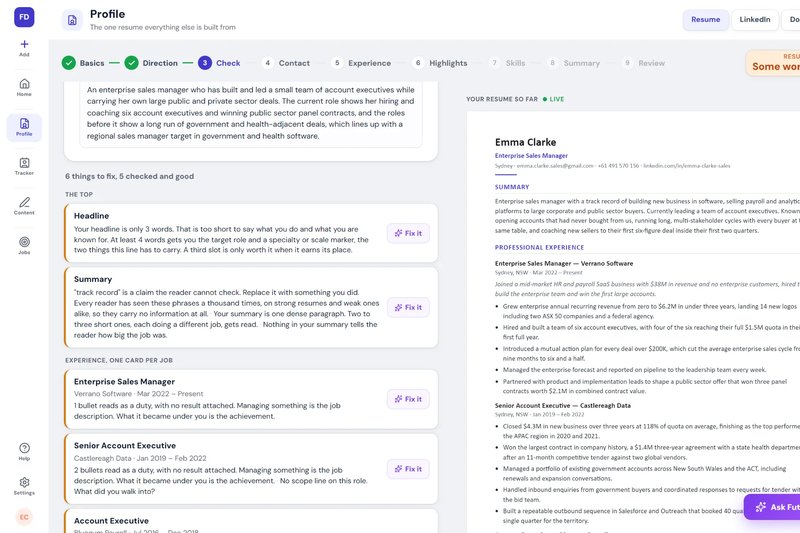
FutureDay's Resume Builder turns your resume into a Word file and checks it against a written standard, showing where it stands and what to fix. When you apply, the Tailored Resume puts your facts into the job description's own words, the words the screening software is looking for, without adding a single fact.
For a full resume with plain section headings, and a note on why every line works, see the resume examples by job.
99.7% of recruiters surveyed by Jobscan filter candidates in their ATS, most often by skills and job title, and 88% of employers told Harvard Business School and Accenture that qualified candidates are screened out for not matching a job description's exact criteria.
Five fixes matter most: standard section headers, no tables or columns, contact details in the body not the header or footer, standard fonts, and the exact file format requested.
You can't see these problems from your own screen, because your software renders your resume faithfully for you. The parser doesn't.
Once a resume clears the software, it still only gets about 7.4 seconds from a human on a first pass. Formatting earns you that chance. It doesn't replace what you say with it.